
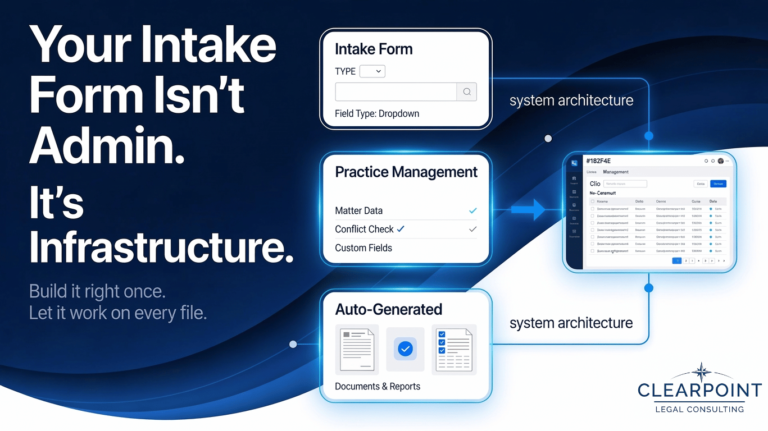
Your Intake Form Isn't Admin. It's Infrastructure.
The fields you collect at intake — and the type of fields you use — determine what your practice management system can do with that data throughout the file.
Most solo and small firm lawyers think about their client intake form as a first impression. And it is. But it is also something more consequential than that, and getting it right has nothing to do with how it looks.
It has everything to do with what you collect, what type of fields you collect it in, and whether any of it is actually usable downstream.
I worked with a lawyer doing estate planning work — wills, powers of attorney, that kind of practice. Her intake form was genuinely thoughtful. She had built out a series of paragraph fields that collected detailed information from clients before their first call: family situation, assets, wishes, concerns. It gave her exactly what she needed to have a productive conversation. Clients appreciated it. The process felt professional.
The problem showed up after the call. None of that information was structured in a way the system could use. Every time she sat down to draft a will, she was going back into the intake form, reading through paragraphs of client-provided text, manually pulling out the relevant details, and re-entering them into the document. Clients varied enormously in how much they wrote and how they organized their thoughts, which made the parsing even more time-consuming. What felt like a good intake process was actually creating a significant amount of tedious manual work on every single file.
The fix was not complicated. But it required rethinking the form from the output backward, not the intake forward.
Modern practice management platforms like Clio and CosmoLex allow you to build custom fields that map directly to documents and workflows throughout the system. Most lawyers who have heard of this think of it as naming the field correctly. That part matters, but it is actually the second decision, not the first.
The more important decision is field type. A paragraph field and a single-line text field look similar on a form but behave completely differently when you try to use the data downstream. A dropdown field, a multiple choice field, an integer-only field — each one controls not just how information is collected but how it can be referenced, sorted, merged into documents, and reported on later. Some platforms limit which field types are available for specific purposes, and that constraint exists for a reason.
Choosing the wrong field type is one of the most common intake setup mistakes, and it is invisible until you try to use the data.
A paragraph field feels flexible when you are building the form. In certain scenarios however, it feels like a problem when you are trying to auto-populate a retainer agreement or run a conflict check six months later.
When intake fields are built with downstream use in mind — the right field types, mapped correctly to your practice management system — the information you collect at the front end flows through the entire matter. Your conflict check pulls automatically. Your retainer populates without retyping. Your matter documents — wills, real estate closings, minute books, whatever your practice requires — draw from the same structured data you captured at intake.
You enter the client's information once. The system does the rest.
For a firm with support staff, the time savings compounds across the team. For a solo lawyer, it compounds directly into your own time — the hours you would otherwise spend cutting, pasting, and re-entering information on every file go somewhere more useful instead.
Every intake form is making a structural decision about your practice whether you intend it to or not. Paragraph fields that collect narrative information are useful for reading but may not be appropriate in some situations depending on how you want to use that data later. Unstructured data can be understood by a person but not acted on by a system. If your fields were not built with downstream use in mind, you will be manually bridging that gap on every file you open.
The good news is that it is a solvable problem, and solving it is a one-time investment. Done right, it pays off on every file from that point forward.
If you are running Clio, CosmoLex, or any other practice management system and have ever noticed that your intake process creates more work than it saves, that is almost always a field structure problem rather than a software problem. It is worth looking at.
ClearPoint's free operations assessment covers intake structure along with five other areas of your practice. Thirty minutes, same-day report, no obligation.
Book a free assessment